

Your plan in plain English, and what is worth a look next
A retirement plan is only useful if you can read it. The Summary, the first tab in your plan, starts with a verdict written from your own numbers: where your plan stands, the evidence behind it, and anything you still need to fill in.
Below it, each card answers a question you would ask out loud. The Coach ranks what is worth a look and takes you straight to the setting. The Learning Library explains the big retirement ideas using your own plan.
Start Planning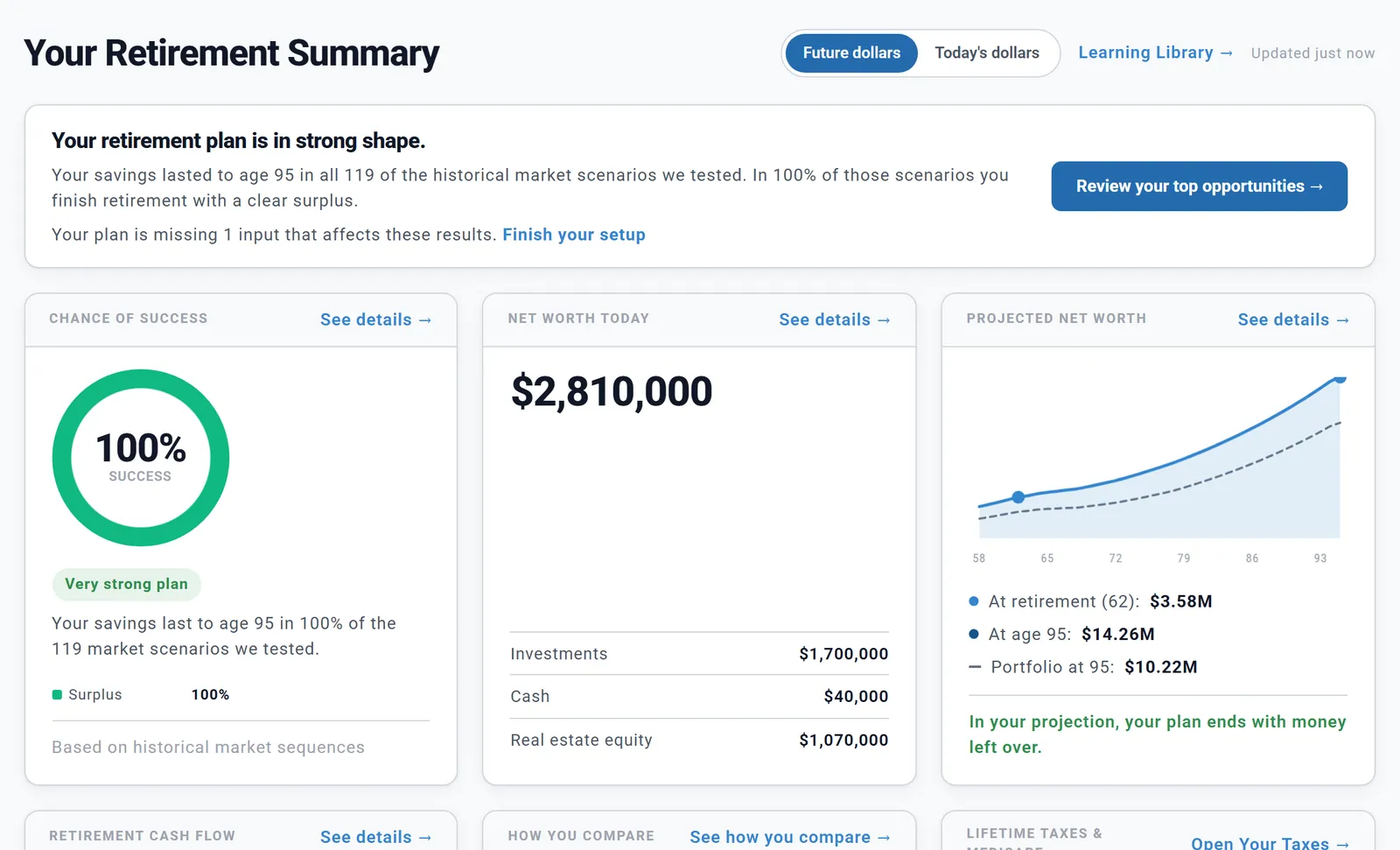
The top of the Summary for Chris and Jamie, a made-up couple we use in our examples.
The verdict at the top says whether your plan is on track, close, or needs attention. Its first sentence is your Chance of Success: "Your savings lasted to age 95 in all 119 of the historical market scenarios we tested." The rest picks facts from your plan, such as what is still in your name at the end, your first-year withdrawal rate and the years until you retire.
Under it, each card answers one question:
Click a card to land on the details. One switch shows the Summary in future dollars or today's dollars, the same switch as on your Dashboard, and the page refreshes itself after every change to your plan.
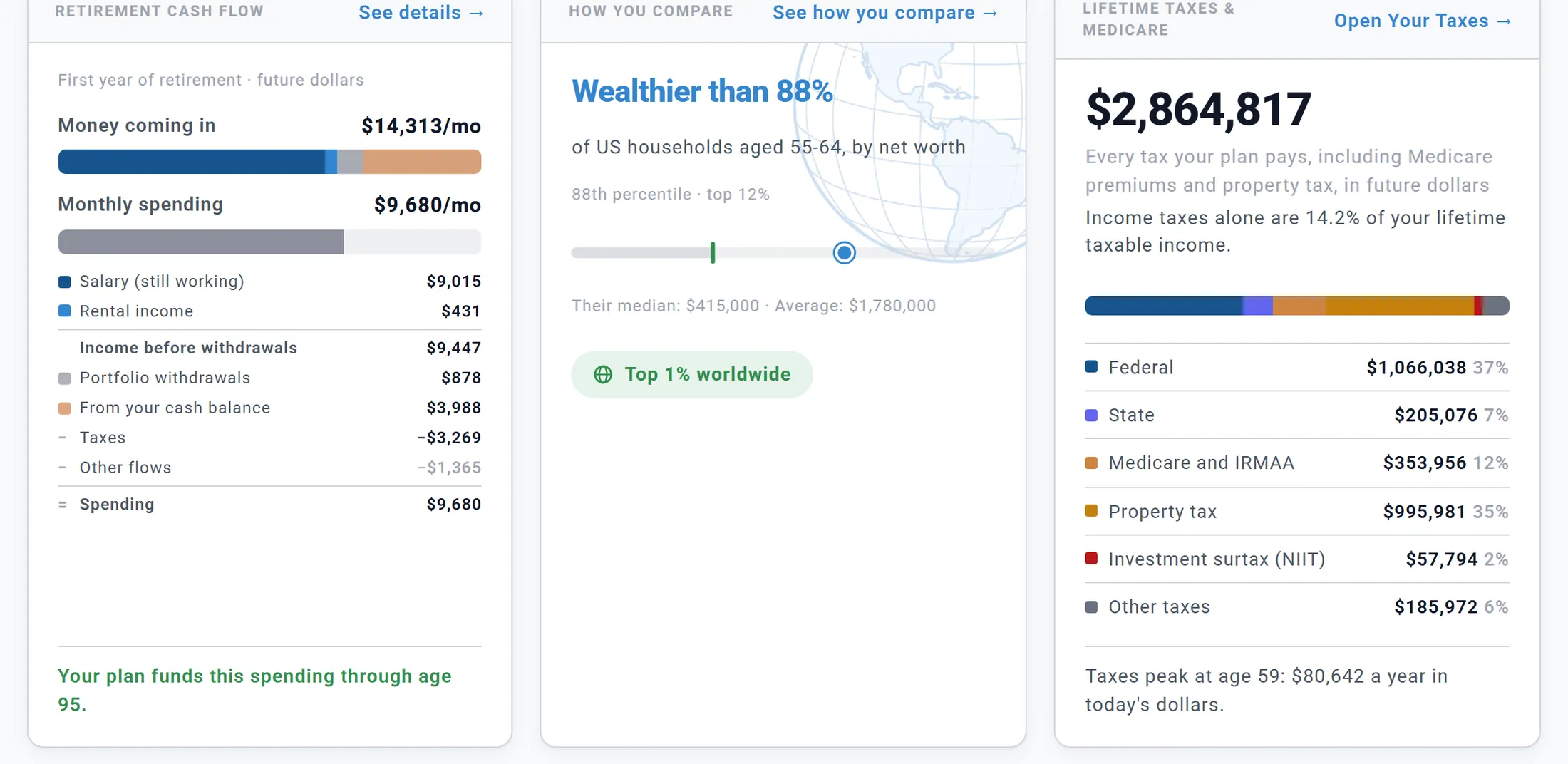
Lower on Chris and Jamie's Summary: their first year of retirement, how they compare, and every tax they pay.
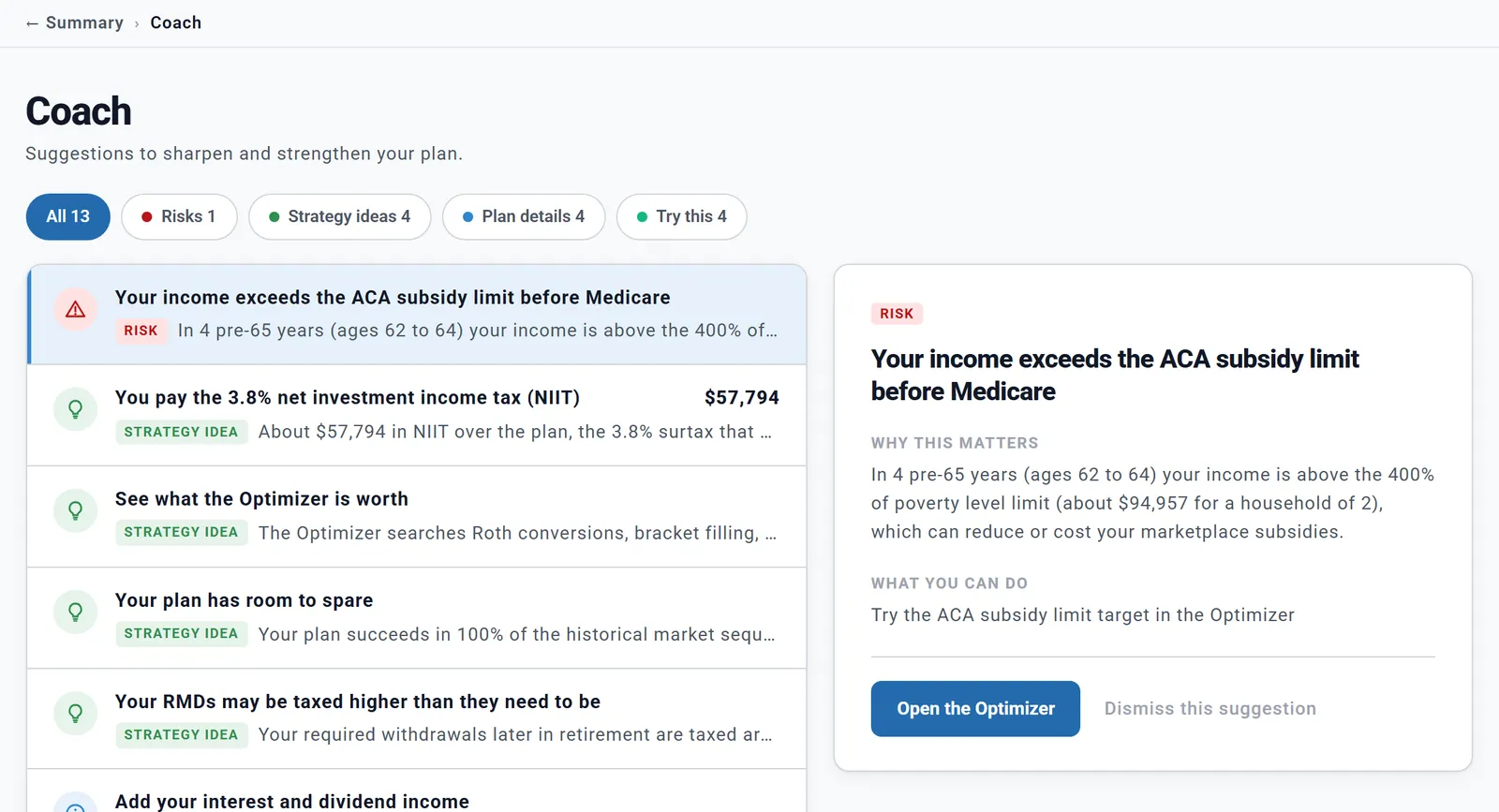
The Coach, reviewing Chris and Jamie's plan.
The internet is full of money advice written for nobody in particular. The Coach works from your plan: your projection, your last Chance of Success result, your accounts and what the Optimizer found. It ranks what is worth a look and explains why in a couple of sentences.
Every suggestion comes with:
The Coach never changes your plan. Nothing moves until you change it yourself. Weighed an idea and set it aside? Dismiss it, and restore it whenever you like.
Risks come first, then key dates, strategy ideas, plan details and ideas to try, with the biggest dollar amounts at the top of each group.
Take Chris and Jamie. In four of their years before Medicare, their income sits above the subsidy limit for marketplace health insurance, so they pay the full premium. The Coach caught it, and one click takes them to the Optimizer's ACA subsidy limit target, to see whether staying under the line is worth it.
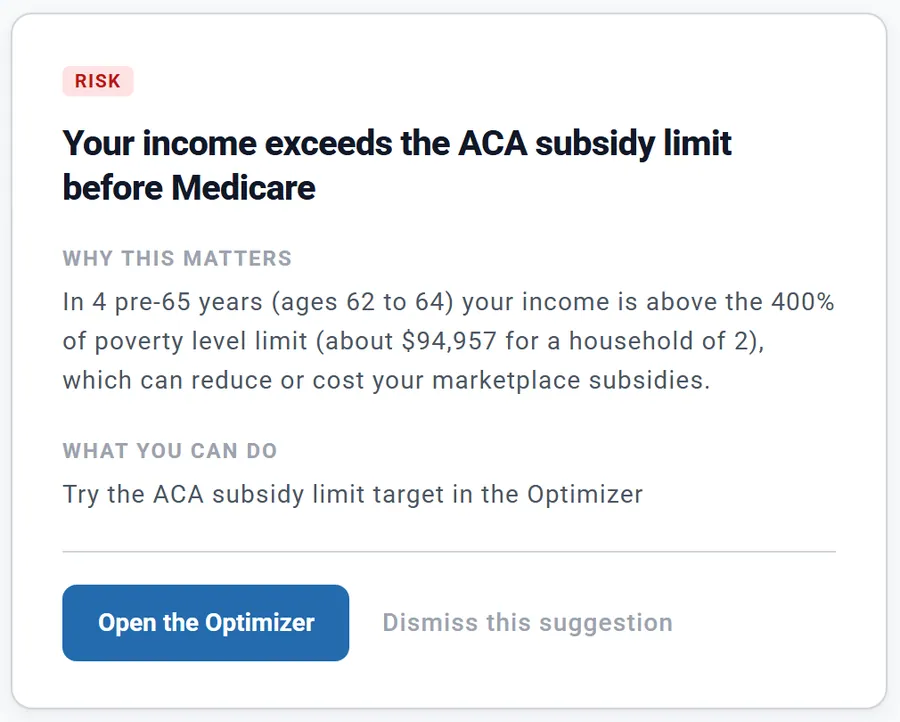
The Coach's first warning for Chris and Jamie, with its button to the Optimizer.
The Plan completeness card checks six essentials: your profile, location and filing, accounts, income sources, spending and assumptions. Each one still open has an Add button that takes you to where you fill it in.
When something is missing, the verdict says so, and Finish your setup takes you to this card. It checks whether you changed the starting values, not whether your numbers are right, so keeping a default on purpose is fine.
Key assumptions shows the six inputs every number depends on, so you can check your plan says what you think it says.
When a card, a Coach button or another link takes you somewhere else, a trail appears under the header, such as ← Summary › Coach.
Click the step with the arrow to go back to exactly where you were: the same Coach suggestion selected, the same place on the page.
Clicking a tab or the side menu starts afresh, as it always has.
The Ready Report tile at the top of the Summary makes a PDF of your plan, or spreadsheets of its numbers, to print or share.
Beside it, the Help pages tile opens the step-by-step help in a new browser tab, so your plan stays open.
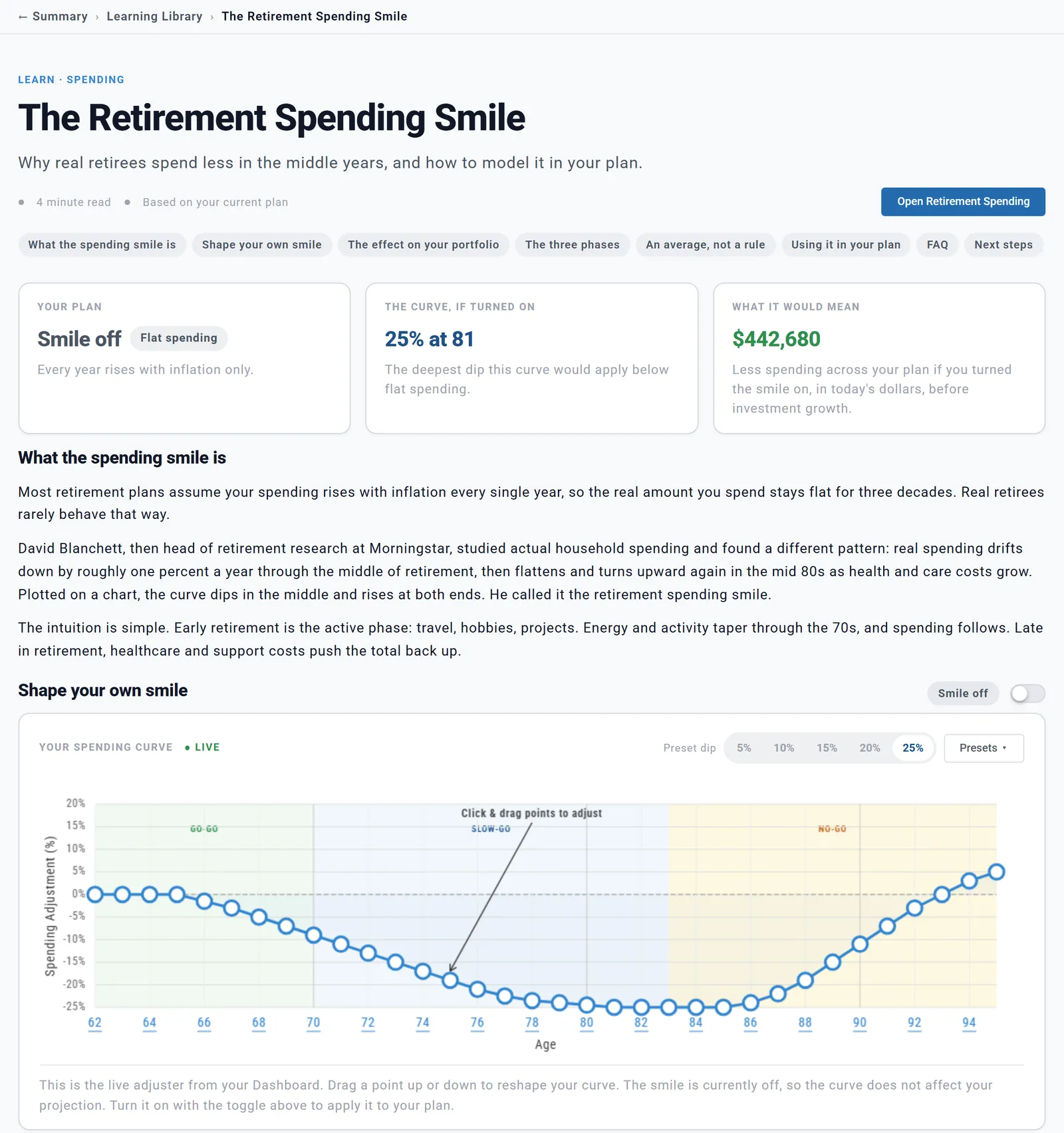
The Spending Smile guide, worked out on Chris and Jamie's own plan, with a curve you can drag.
Most retirement articles work through someone else's example. These guides use your plan instead. The required minimums guide shows your own required withdrawals, the Social Security guide lays out your own claiming ages, and the taxes guide has a bracket explorer loaded with your income.
More than a dozen guides so far, including:
The Keep learning card on your Summary picks three for your plan. A few guides can act on what you read: drag your own spending smile, or apply a guardrails style or a Social Security claiming age to your plan. The library is open to every account, a Preview account included.
The verdict, the Coach and the guides work from your own plan and assumptions. Real returns, tax law and your life will differ, and the Coach never changes your plan for you. Ready Aim Retire is an educational tool, not financial, tax or investment advice.

Your plan replayed through real market history since 1871.
Every year of your plan, and the milestones that shape it.
See your financial progress clearly and over time.
Searches withdrawal orders and Roth conversions for a better strategy.
Pay for retirement in the order that keeps more of your money.
Compare claiming ages and see what each one does to your plan.